Designing a Better Onboarding for a Complex Game System
Redesigning the FFVI Worlds Collide Randomizer
200+ settings with no guidance. New players quit before their first run.
Character-guided onboarding and a Basic/Advanced mode split so new users could start without understanding everything first.
Measured via usability testing with community members across skill levels.
Final Fantasy is a Japanese sci-fi, anthology, role playing video game series with more than 173 million copies sold, making it one of the best selling game franchises of all time.
We are focusing on the 6th main installment (FFVI) which was released in 1994 for the Super Nintendo Entertainment System (SNES).
A randomizer is a modification that shuffles game content to create unique experiences.
By rearranging item locations, enemy placements, and other elements, players can enjoy their favorite game in an entirely new way, as each playthrough becomes unpredictable and fresh.
The Randomizer lets FF6 fans customize characters, combat, and rewards. But 200+ settings with no guidance meant newcomers quit before their first run.
No onboarding, no context — just 200+ settings on an unfamiliar screen.
The complexity barrier kept passionate FF6 fans from reconnecting with a tool built for them.
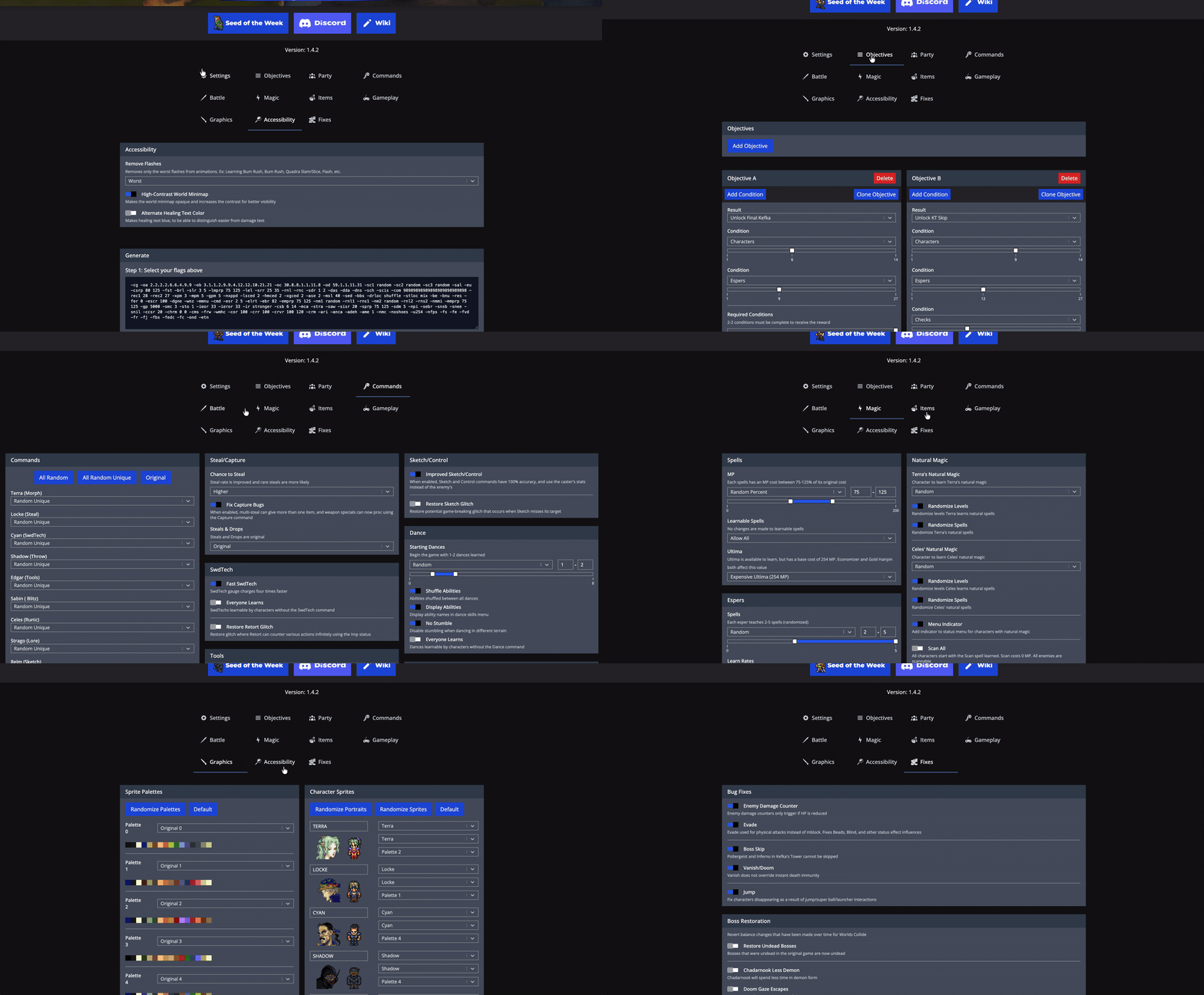
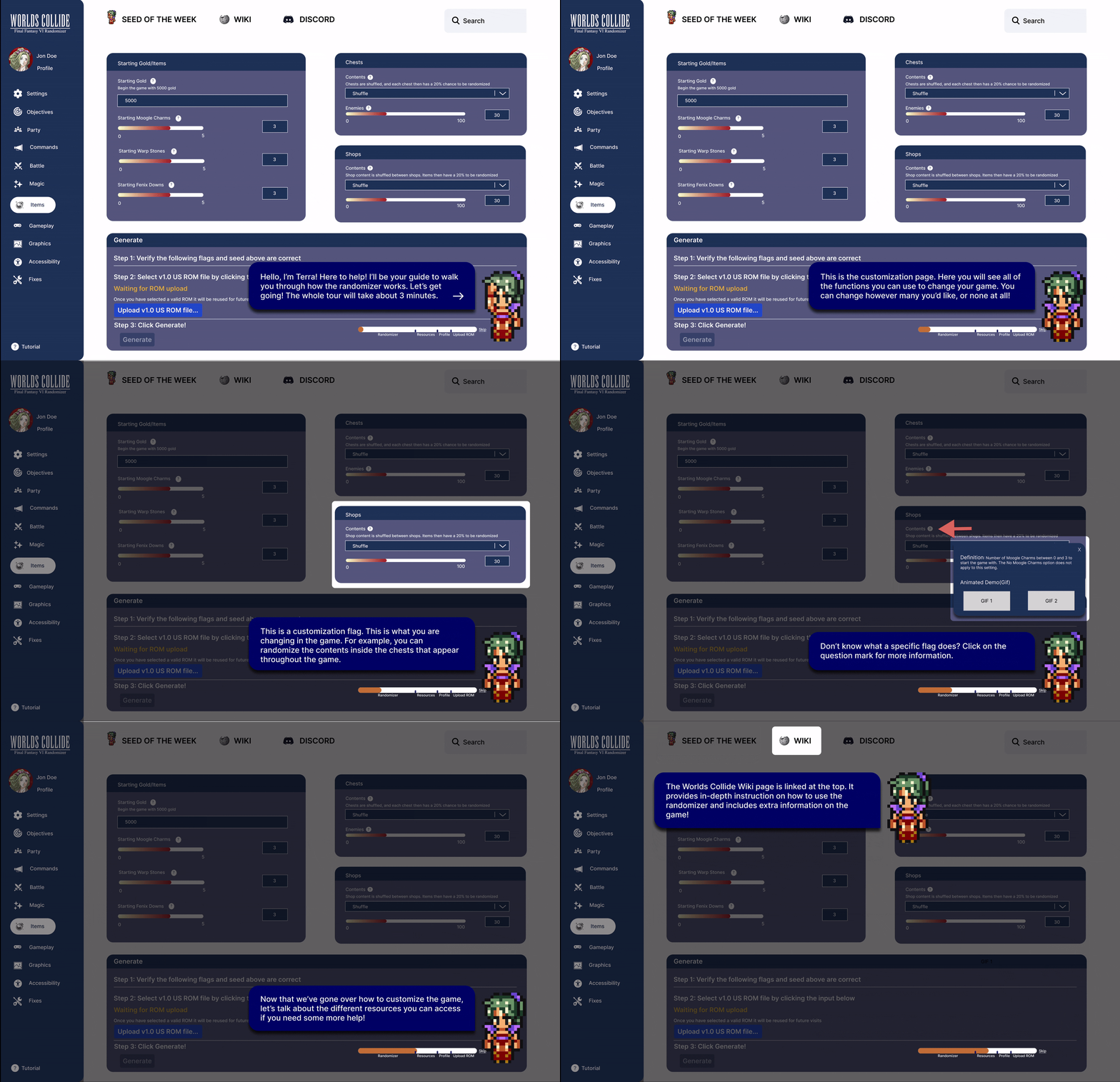
200+ settings with no starting point meant most new players never got past the first screen. We introduced Terra, FF6's protagonist, as an onboarding guide. She walks through key settings step by step, with a progress bar so players always know where they are. Skip it anytime. No external wiki, no guesswork.
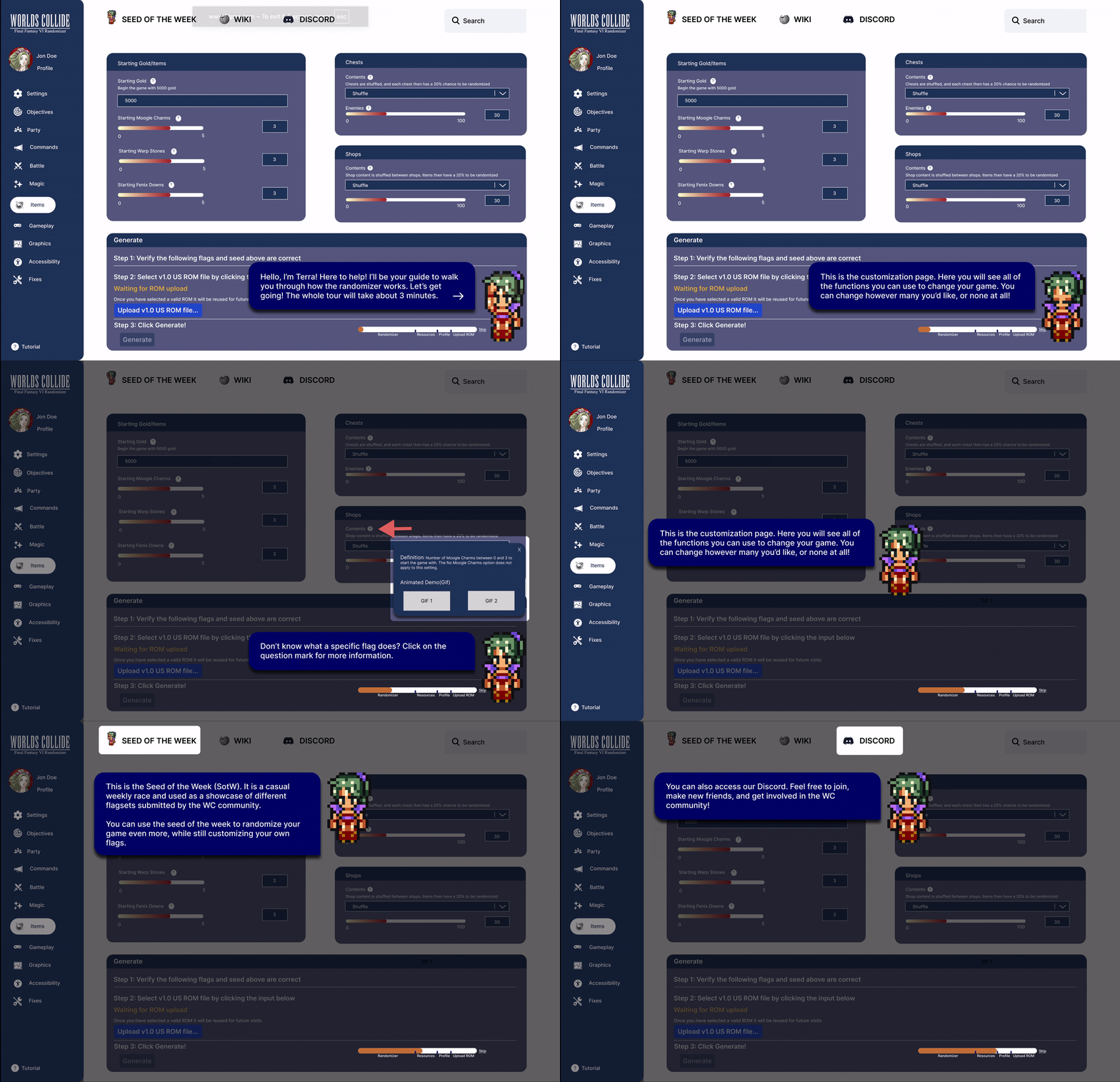
Basic mode shows only essential settings. Advanced unlocks all 200+. Players switch anytime — no commitment required.
Skip straight to randomization without creating an account — sign in only when you want to save.
Save any configuration as a named preset, share it with the community, or return to it later.
Each setting has a tooltip with a plain-language definition and an animated GIF showing exactly what it changes in-game.
Settings live in a persistent left panel so players always know what's available and where they are.
A full summary of all changes before uploading to the emulator — tutorial stays accessible in the corner.
None of us had played FFVI going in. So before any research, I had the team play the game. This way we can get a feel for the world, the characters, the culture. You can't design for a community you don't understand.
We analyzed randomizers from Final Fantasy 4 and other RPGs to identify best practices.
We joined Discord channels, watched Twitch streams, and played FF6 to understand player motivations.
We distributed surveys on Discord's main FF6 channel, receiving 24 responses from community members.
We conducted interviews with randomizer experienced users, FF6 players, and gaming enthusiasts.
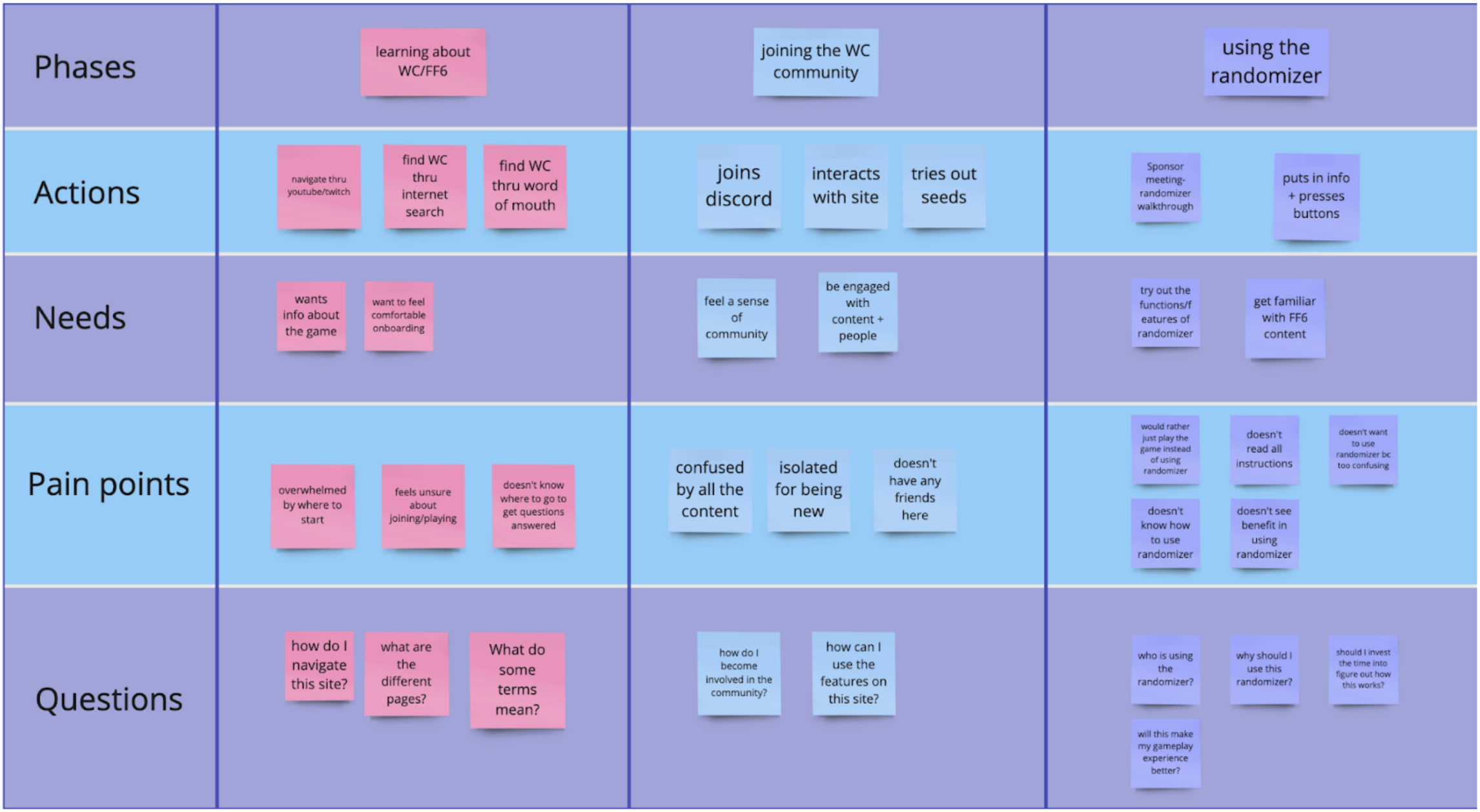
From our research, we synthesized the most recurring pain points into the top 5 user complaints, then translated each into actionable How Might We statements, giving us 3 clear design directions to move forward with.
Players encountered hundreds of customizable settings with no guidance on where to start or what options meant.
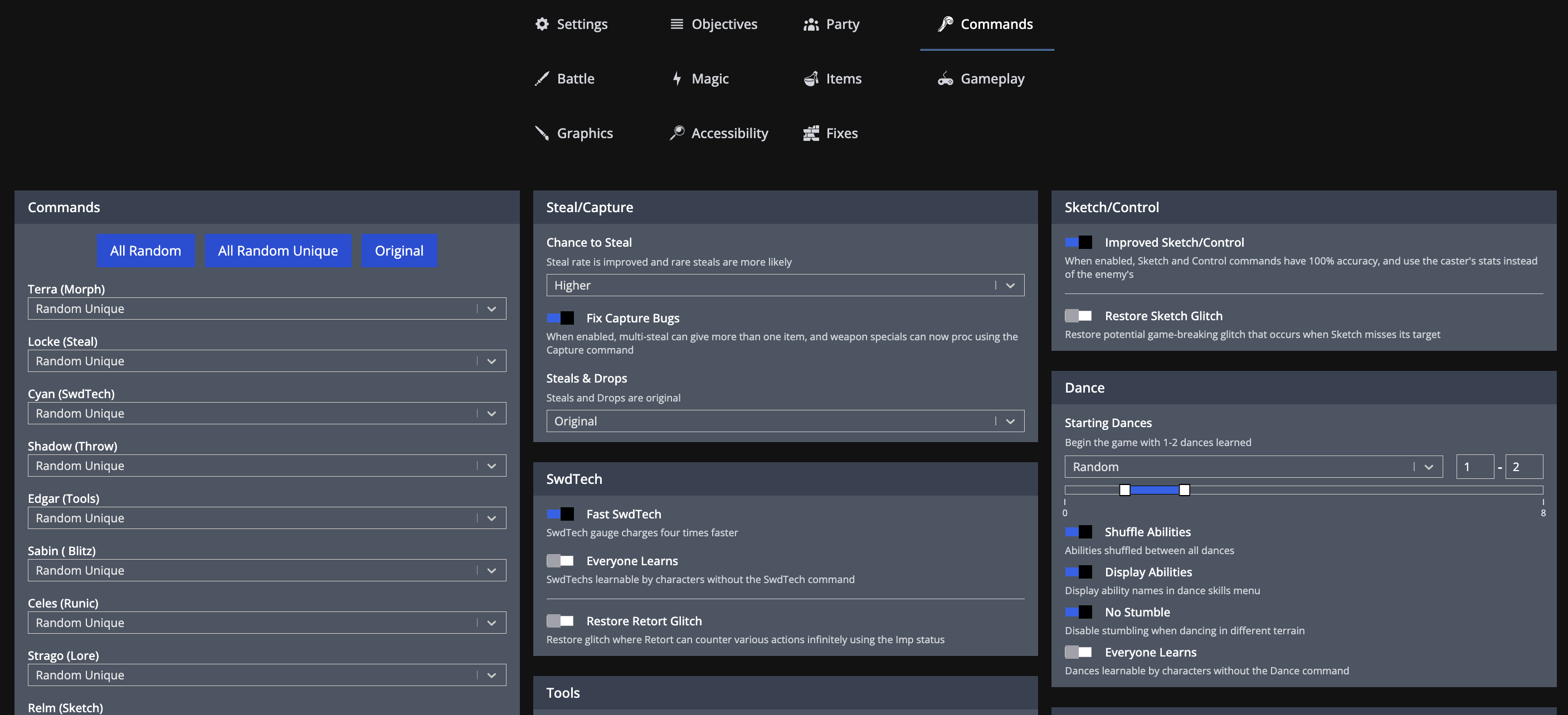
Users had to constantly switch between the randomizer, Wiki pages, and YouTube tutorials to understand terminology.
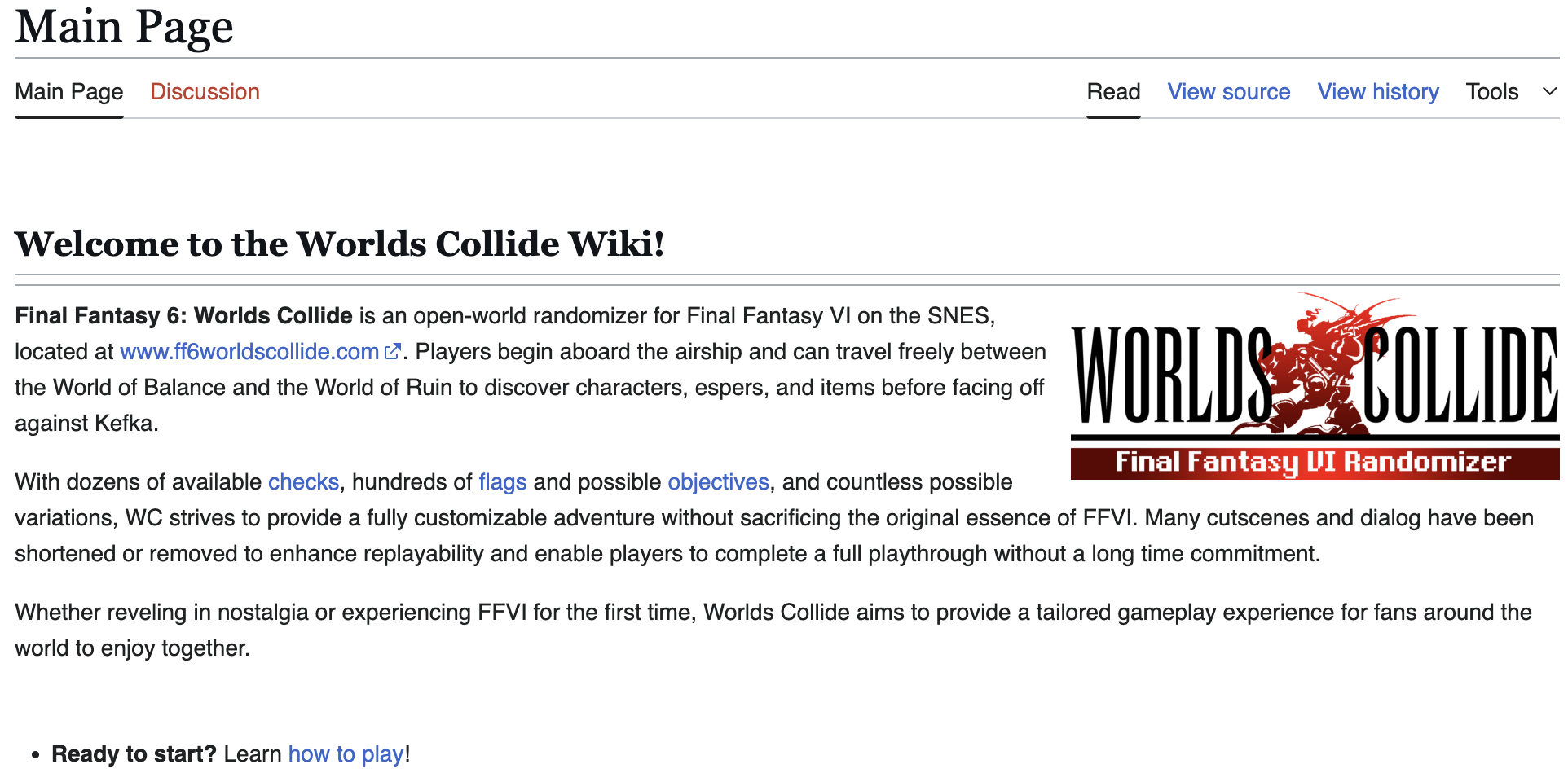
Players had to understand all settings before generating their first game, unable to start playing without extensive research.
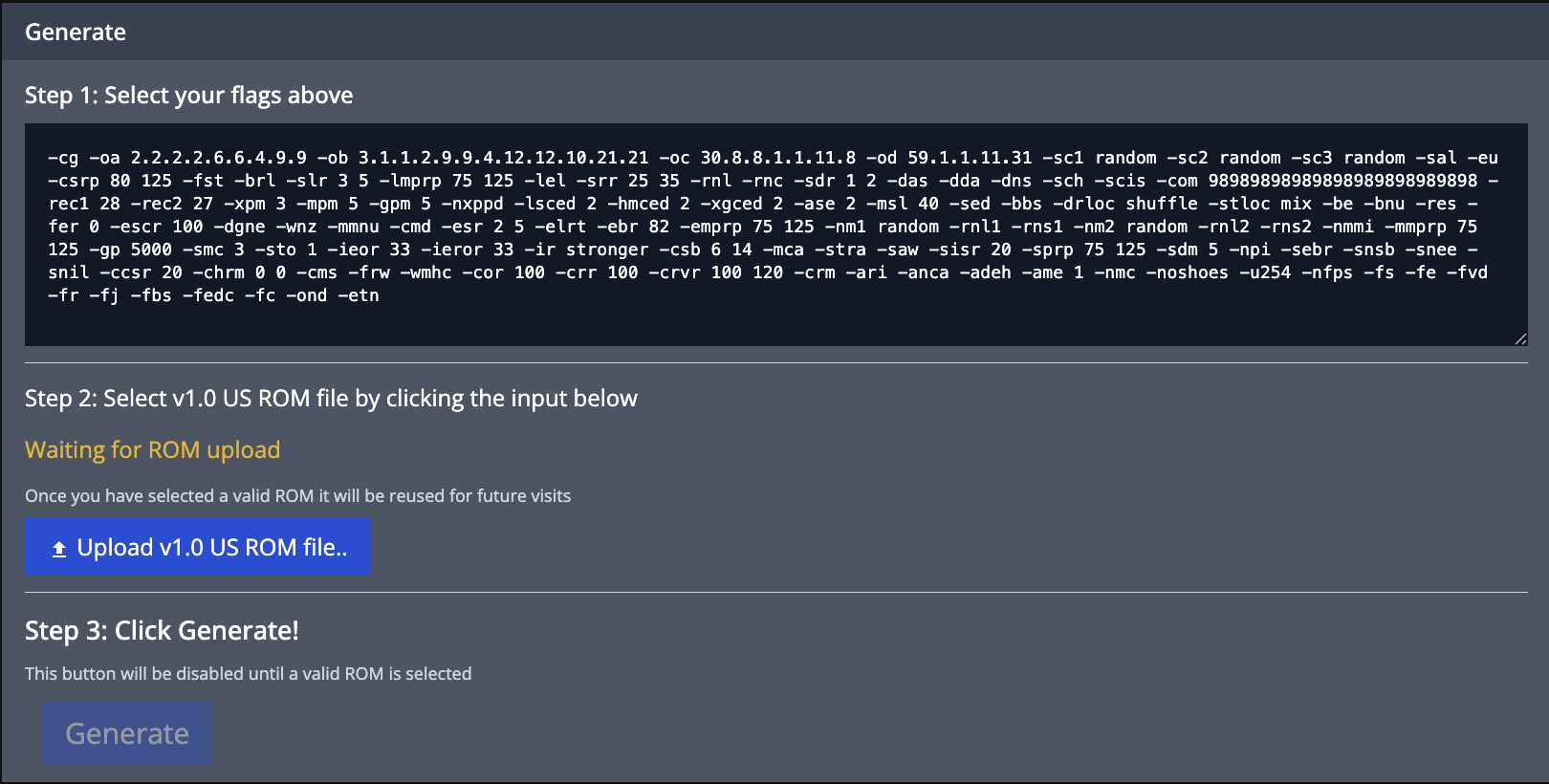
Players could save settings as text strings (flags), but these cryptic codes like -cg -oa 2.2.2.2.6.6.4.9.9 were impossible to understand without decoding.
Players selected settings through abstract flags without seeing a consolidated view of what their choices actually created.
Through interviews, I discovered players respond to game-world elements. I proposed using Terra, FF6's protagonist, to guide users through a 3-minute interactive tutorial that explains settings while maintaining immersion.
Rather than front-loading all information, I designed hover tooltips next to each setting. When clicked, tooltips show the term definition plus animated GIFs demonstrating how the setting affects gameplay.
We created two interface modes: Basic shows essential settings while Advanced reveals all 200+ options. Players can switch between modes anytime, gradually exploring deeper customization as they gain confidence.
Instead of a flat list, I grouped settings by categories (Party, SwdTechs, Blitzes, Lores, Commands, Characters). Yellow highlights emphasize modified values, making customizations immediately visible among default settings.
Users can now save their settings as named presets, revisit them at any time, and share seed configurations with the community.
None of our team had FF6 experience. This constraint became a strength — we conducted extensive interviews and usability tests, ensuring designs reflected actual user needs rather than designer assumptions.
FF6 players exist in niche Discord channels and forums. I learned to build trust by genuinely engaging with the community — playing the game, watching streams, and participating in discussions before requesting interviews.
Using Terra as the tutorial guide and maintaining FF6's aesthetic proved more effective than modern UI patterns. I learned to respect existing community culture rather than impose external design standards.